
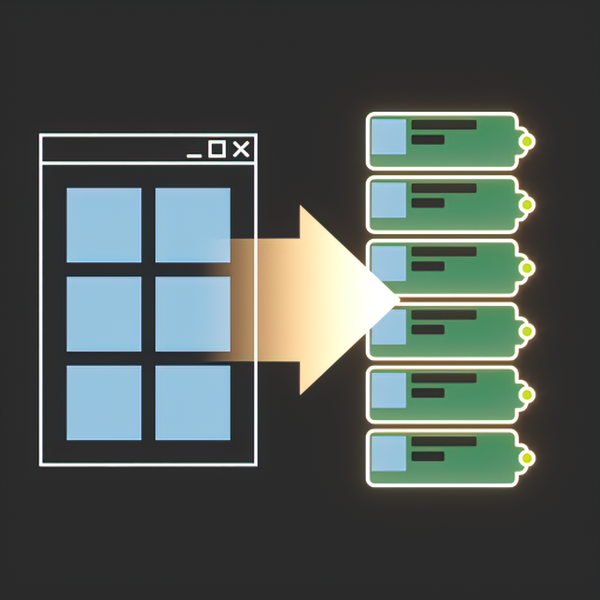
DropToSlate
$11
Enhance your Slate Material Editor
- Version 2.00
- Released 2026.10
Opens Gumroad's secure checkout in a new tab — this page stays open. Gumroad e-mails your download link.
Bought it here before? Get the latest version — we e-mail you a private link, no password.
Create maps in renderer class
Bitmaps are created as V-Ray, Corona, Redshift or F-Storm maps — the class follows the renderer of the current scene. Standard Bitmap can be forced per renderer.
Real-World Resize with size presets
Set the physical size in any unit, keep the proportions, and store your own width/height presets. Triplanar maps are resized through their scale and blending value.
Texture sequences become one MultiMap
Drop a whole sequence and get one multi map with a texture per slot, in the right order: RS_Multi_Map, CoronaMultiMap, VRayMultiSubTex or FStormMultiTex. The names may differ by numbers only.
UDIM tileset in one map
UDIM tiles are detected automatically: V-Ray gets a tagged map, Corona a MultiTile, Redshift its tiling mode. No duplicate nodes for the same tileset.
UVTILE tileset in one map
Mudbox style u/v tiles are recognised the same way, so a whole tileset takes a single node in the Material Editor.
Everything in DropToSlate 2.0
Drop
- Bitmaps are created in the class of the active renderer: V-Ray (VrayHDRI), Corona (CoronaBitmap), Redshift (RS_Bitmap), F-Storm (FStormBitmap) or standard Bitmap. HDR files always go to VRayHDRI in V-Ray.
- HDR files are detected by bit depth, not only by extension: float formats and anything above 16 bit per channel.
- HDR gamma 1.0 option: HDR files are loaded with gamma 1.0 regardless of the gamma hotkey.
- Drop *.osl shader files, *.cube and *.3dl LUT files (V-Ray and Corona), *.mat material libraries and, optionally, *.max files as libraries.
- Drop bitmaps with relative paths.
- UDIM and UVTILE tilesets are recognised by name and turned into a single tiled map.
- Texture sequences are grouped into a single multi map, one texture per slot.
- Per-renderer settings: V-Ray, Corona and Redshift keep their own map class, color space and OCIO options.
The section of an engine that is not installed is hidden. - Hotkey modifiers for three separate actions: open Real-World Resize, override gamma, tile by texture aspect ratio. Each one can be Disabled, Shift, Ctrl, Alt or Always.
- Default gamma mode: Auto (leave it to the renderer) or a custom value, with the hotkey override taking priority.
- Drop listeners API: other scripts can subscribe to the drop callback without stealing it from DropToSlate.
Resize
- Real-World Resize of selected maps in any unit, keeping the aspect ratio, with unlimited custom presets.
- Apply on the second click in a preset list, so presets are never applied while you edit them.
- Triplanar support (Corona, F-Storm): one switch with a blending value right in the resize dialog.
- Right click on Apply: turn real-world and triplanar off and reset tiling to 1:1.
- Ctrl + right click on Apply: the same, and the tiling follows the aspect ratio of the texture.
Slate
- Open the first dropped texture in the Parameter Editor.
- Focus Slate after the drop.
- Auto Open Nodeslots option for 3ds Max 2024.1 and newer.
- Fixed the “duplicating View1 after Reset” Slate bug.
- Dropped nodes are stacked by the real height of a cluster, so multi maps and tilesets never overlap.
Installation
- Drag “DropToSlate.mzp” to 3dsMax viewport
- Click Install
- Open Slate Material Editor
DropToSlate Help
- Getting started
- Dropping files
- Tiled textures
- Texture sequences
- Real-World Resize
- Settings
- Renderer reference
- Hotkeys and mouse
- Scripting API
- Troubleshooting
Getting started
| Install | Drag DropToSlate.mzp into the viewport, click Install, open Slate. |
| Dialogs | Macros Nik Scripts > DropToSlate Settings / DropToSlate Resize, or ::SMEDragAndDropHandler.OpenSettings() / OpenRwSizeQuery(). |
| Enable | Settings > General > Enable DropToSlate. On opens Slate and arms the drop handler. Off unhooks it. Not remembered between sessions. |
| Settings file | DropToSlate_settings.ini in GetDir #userScripts. Delete it to reset settings and presets. |
2024.1+ adds nodes at the drop point. Older versions replace the selected node: select a node before dropping, otherwise nothing is created.
Dropping files
| Images | Any bitmap 3ds Max accepts. The map class follows the current renderer. |
| .mat | Opens as a material library (3ds Max 2021+). No node is created. |
| .max | Ignored unless Load .max as library is on. Then opens as a library. 3ds Max can crash when such a library is closed. |
| .osl / .oso | Engine OSL map when available (VRayOSLTex, RS_OSL_Map), otherwise the built-in OSL Map. |
| .cube / .3dl | VRayLut or CoronaColorCorrect LUT in V-Ray/Corona.Skipped by other renderers. |
| Other | Rejected by 3ds Max's drop filter. One bad file cancels the whole drop. |
- HDR is detected by the header:
.exr .hdr .vrimg .cin, or more than 16 bits per channel. 16-bit files count as LDR. - Gamma: HDR gamma 1.0 (if on) > Gamma Override hotkey > Default gamma > renderer default.
- Paths: relative paths are kept when 3ds Max preferences ask for relative paths.
- After drop: maps are selected.
The first opens in the Parameter Editor (2014+) unless disabled.
Focus to Slate is optional. - Esc stops the rest of a running drop. Nodes are stacked by their real cluster height.
Tiled textures
Find UDIM / UVTILE tiles (General, default on) turns a tileset into one node.
| UDIM | Standalone 4-digit number 1001–1100: wood_1001.jpg. Not part of a longer number. |
| UVTILE | u<n>_v<n>, underscore required, either case: uvtile_u2_v1.jpg. |
| V-Ray | Tagged VRayHDRI (<UDIM> / <UVTILE>). HDR always.LDR when Map class is VrayHDRI. |
| Corona | MultiTile in Custom format (3ds Max 2017+), exactly the dropped tiles. |
| Redshift | RS_Bitmap in UDIM or 1-based UVTILE tiling mode. |
| F-Storm / Scanline | One map per file. |
- One node per set, named after the base name. Duplicate tileset maps are filtered.
- Off makes each file a single map. Use it when a name only looks like a tile.
- Tile numbers are read from the file name only.
Neighbours are not checked.
Texture sequences
Group texture sequences (General, default on) puts files that differ by one number into one multi map.
| Rule | Same folder, extension and name except one number of the same width. At least two different numbers. Largest group wins. Ties go to the number last in the name. |
| V-Ray | VRayMultiSubTex (20 slots). |
| Corona | CoronaMultiMap (100 slots). |
| Redshift | RS_Multi_Map (20 slots). |
| F-Storm | FStormMultiTex (32 slots). |
| Bitmap / Scanline | No multi map. One node per file. |
- Slots are filled in sequence order and enabled. A group larger than the slot count is split into
base,base (2), … - Tilesets built as one tiled map are not grouped. Ordinary tile files in a bitmap-only map class can be grouped as a sequence.
- Grouping is name-based:
tex_4k+tex_8kcan become a sequence. Turn the option off for drops like that.
Real-World Resize
Resizes the bitmap maps selected in the active Slate view. Works on BitmapTexture, VRayHDRI, VRayTriplanarTex, CoronaBitmap, CoronaTriplanar, FStormBitmap, RS_Bitmap, Substance/Substance2. Container maps such as MultiTile and multi maps are not resized.
| Presets | Click loads, double-click applies. + saves the current size (active dimension only when locked). - deletes. |
| Width / Height | Any scene unit, 0.0001–100,000,000. Locked: one active field, the other follows the image. Unlocked: both values used as typed. |
| Lock ] | Use image aspect ratio. Right-click switches the main dimension Width ↔ Height. |
| Apply | Writes real-world size. Ctrl+click applies and closes. |
| Right-click Apply | Real-world off, triplanar off, tiling 1:1. Ctrl+right-click also applies aspect tiling. |
| Use triplanar | Corona/F-Storm only. Width becomes the world size of one tile, height its tiling. Blend 0–1, step 0.05. |
| Esc | Closes. |
- The size fields never resize by themselves: press Apply or double-click a preset.
- Aspect comes from the map's file.
Unreadable files keep the typed size.
Tiled containers have no single file and are not resized. - The dialog remembers its height and the last width/height.
Presets are saved in the ini.
Settings
Renderer sections appear only for installed engines. The dialog saves on close (X/Esc).
| Enable DropToSlate | Arm/disarm the handler. On opens Slate. |
| Default gamma | Auto (write nothing) or Custom (0.01–5). The hotkey overrides. |
| HDR gamma 1.0 | On: HDR files get gamma 1.0 even with the gamma hotkey. |
| Find UDIM / UVTILE tiles | On: one tiled map per set. |
| Group texture sequences | On: one multi map per sequence. |
| Load .max as library | Off by default. Asks before enabling (crash risk on close). |
| After drop | Open in Param Editor (on), Focus to Slate (off), Auto Open Nodeslots (on, once per session). |
| Overrides | Open Resize: Disabled/Shift/Ctrl/Alt/Always (Alt default). Gamma Override: key + value (disabled default). Tiling by aspect ratio: key or Always (disabled default). Use different keys. |
| V-Ray | Map class: Bitmap (LDR plain, HDR VRayHDRI) or VrayHDRI. VrayHDRI only: Color Space transfer (Auto/None/Inverse gamma/sRGB/From 3ds max) and RGB primaries (Auto/Default/sRGB/ACEScg/Raw). |
| Corona | Map class: Bitmap, CoronaBitmap (default), VrayHDRI. |
| Redshift | Map class: Bitmap or RS_Bitmap (default). OCIO color space: Auto or a name from the config Redshift renders with. |
Renderer reference
| V-Ray | Plain/VRayHDRI per settingHDR → VRayHDRITiles → tagged VRayHDRISequences → VRayMultiSubTexLUT → VRayLutOSL → VRayOSLTexNo triplanar switch |
| Corona | Plain/CoronaBitmap/VRayHDRI per settingTiles → MultiTile (2017+)Sequences → CoronaMultiMapLUT → CoronaColorCorrectOSL → built-in OSL Map Triplanar switch |
| Redshift | Plain/RS_Bitmap per settingTiles → RS_Bitmap tiling modeSequences → RS_Multi_MapLUT skipped OSL → RS_OSL_Map (.oso → OSL Map)No triplanar switch |
| F-Storm | FStormBitmap alwaysTiles one per file Sequences → FStormMultiTexLUT skipped OSL → built-in OSL Map Triplanar switch |
| Scanline / other | BitmapTexture alwaysTiles one per file No multi map LUT skipped OSL → built-in OSL Map No triplanar switch |
Hotkeys and mouse
- Drop modifiers: Open Resize (Alt default), Gamma Override (off), Tiling by aspect ratio (off). The first and third can be Always.
- Resize: Apply
Ctrl+click applies and closes
Right-click disables real-world/triplanar and resets tiling 1:1
Ctrl+right-click also applies aspect tiling - Presets: double-click applies
Ctrl+double-click applies and closes
Right-click the lock switches Width ↔ Height - Esc closes the Resize dialog.
Slate toolbar buttons were removed in 1.30.
Use the Nik Scripts macros or hotkeys.
Scripting API
::SMEDragAndDropHandler | Public facade. Internal modules are private. |
OnSuccess() | Arms the tool. |
OpenSettings() | Opens Settings. |
OpenRwSizeQuery drop:false | Opens Real-World Resize.drop:true positions it at the mouse. |
ResetCallbackTimer() | Starts the scene-reset fix timer (< 2025). |
AddDropListener fn / RemoveDropListener fn | Register/unregister a listener. Both return the listener count. |
Destroy() | Full teardown: unhooks Slate, stops timers, closes dialogs, clears listeners. |
Drop listeners for other scripts
DropToSlate owns the Slate drop callback, so a second script that assigns SME.fileDropCallback replaces the tool instead of joining it. The listener hub lets a script join instead: register a function and it receives every real drop, after DropToSlate has already done its work.
fn myDropHandler test files pos =
(
    -- test is always false here: the hub reports real drops only
    format "DropToSlate: % file(s) at %\n" files.count pos
    for f in files do format "    %\n" f
    true
)

::SMEDragAndDropHandler.AddDropListener myDropHandler      -- returns the listener count
::SMEDragAndDropHandler.RemoveDropListener myDropHandler   -- same, after removal
- The signature must be exactly
fn name test files pos, the same one Slate uses for its own callback, so the same function also works on a machine without DropToSlate. testis always false. Slate asks twice per drag, once while the files are still being dragged. The hub reports only the real drop, so a listener is never asked to preview anything.filesis the full list of dropped paths, before the tool takes material libraries off it, so a listener sees.matand.maxfiles as well.posis the drop position inside the Slate view, in view coordinates. Below 3ds Max 2024.1 it is[0,0].- The call happens once per drop, after the nodes are created: whatever DropToSlate built is already in the view when your code runs.
- A listener cannot cancel or modify the drop, and its return value is not read. Listeners are a notification, not a decision.
- Every listener is called inside its own try, so a broken script does not silence the listeners registered after it.
- The same function registered twice is stored once. The list is cleared when the script is reloaded, so register again after a reload.
- Drops the tool refuses are announced too: an unsupported file, or a material library turned into no node. Check
filesif it matters to you.
Troubleshooting
| “DropToSlate is not started” | Startup script not loaded. Reinstall the MZP and restart 3ds Max. |
| Nothing appears | Slate closed, tool disabled, unsupported file cancelled the drop, or (below 2024.1) no node selected. |
| Wrong map class | Check the renderer section. V-Ray/Redshift Bitmap mode keeps LDR files plain. F-Storm has no section. |
| Tiles are separate nodes | Enable Find UDIM / UVTILE tiles In V-Ray/Redshift use VrayHDRI/RS_Bitmap Corona needs 2017+ |
| Texture became a sequence | Grouping is name-based. Turn Group texture sequences off. |
| Resize does nothing | Select map nodes in the active view Container maps are ignored Press Apply or double-click a preset |
| No triplanar switch | Only Corona and F-Storm offer it. |
| Auto Open Nodeslots ignored | Applied once per session while Slate is open. A later change in Slate's View menu wins. |
| .max library crash | Known 3ds Max issue. Keep Load .max as library off. |
| 3ds Max 2024.0 | Not supported. Install Update 1. Below 2024.1 paths are lowercased and limited to 260 characters. |
[2.00] – 2026.10
- New. Per-renderer settings: V-Ray, Corona and Redshift with own map class options.
- New. Redshift OCIO color space option.
- New. HDR gamma 1.0 option.
- New. Drop .mat material libraries and .max scenes as library.
- New. Drop .osl shader files.
- New. Drop .cube and .3dl LUT files for Corona and V-Ray.
- New. HDR detection by file bit depth, not only extension.
- New. Tiling by aspect ratio hotkey.
- New. UDIM and UVTILE tile support for V-Ray and Corona.
- New. Group texture sequences into one multi-map.
- New. “Use triplanar” switch with its blending value in the Real-World Resize dialog (Corona and FStorm).
- New. Ctrl + Right click on Apply: the same, and the tiling follows the aspect ratio of the map file.
- New. Drop listeners API for other scripts.
- New. “Auto Open Nodeslots” option for 3dsMax 2024.1 and newer (Settings > General).
[1.32] – 2025.07
- Fix. Disabled automatic fixing “View1” duplication bug for 3dsMax 2025 and newer.
[1.31] – 2024.06
- Fix. Wrong OCIO color profile.
- Fix. Resizer dialog error.
- Fix. HDRI resizer error.
[1.30] – 2023.06
- New. 3dsMax 2024.1 support. 3dsMax 2024 without updates is not supported.
- Deprecated. Removed Slate toolbar buttons because of 2024. Macroses are still there – in Nik Scripts category. Please use max toolbar or hotkeys.
[1.29] – 2021.05
- New. V-Ray 5 VrayBitmap Color space and RGB primaries Auto mode.
[1.28] – 2020.10
- New. V-Ray 5 VrayBitmap default Color space transfer.
[1.27] – 2020.10
- New. V-Ray 5 VrayBitmap default RGB Primaries.
[1.26] – 2020.10
- Fix. Dotnet Escape related bug.
[1.25] – 2020.09
- Fix. Resizer aspect ratio bug.
- Fix. Resizer Substance2 support bug. Sorry for that.
- Fix. Drag n drop conflicts with other scripts.
[1.24] – 2020.09
- New. Substance and Substance2 support for Real-World resizer. Not for drag & drop yet.
[1.23] – 2020.07
- Fix. Resizer not working on bitmaps with relative paths.
[1.22] – 2020.06
- New. Drop bitmaps with relative paths. DropToSlate respects “Convert local file paths to Relative” option in 3dsmax preferences. 3dsmax native drag-n-drop doesn’t :)
[1.21] – 2020.02
- Fix. MacroRecorder not working before opening Slate.
[1.2] – 2020.02
- Fix. Errors after pressing Escape before opening Slate.
[1.19] – 2020.02
- Fix. Startup issues on some systems.
[1.18] – 2020.02
- Fix. RedShift bitmaps without Vray installed.
[1.17] – 2019.12
- Improved. Get resolution for *.hdr and *.exr is much faster.
[1.16] – 2019.12
- New. Load *.hdr and *.exr files as spherical images option.
- Fix. Removed *.hdr and *.exr exclude for resizing.
- Fix. Load previous width/height in Real-World Resize.
[1.15] – 2019.11
- New. (Corona and Vray) Use Vray HDRI option.
[1.14] – 2019.05
- Fix. Resize bug again. I hope last one
[1.13] – 2019.05
- Fix. Swapped Resize width height
[1.12] – 2019.05
- New. Non-English 3dsMax versions support
[1.11] – 2019.05
- New. (FStorm) Set gamma 2.2 for *.hdr & *.exr files
- Fix. Unistall bug
[1.1] – 2019.05
- New. Gamma override
[1.01] – 2019.05
- Fix. Reset Scene timer error.
[1.0] – 2019.05
- Initial release